

Changelog
Stay up to date with new features, improvements, and bug fixes shipped in Vybe.
Stay up to date with new features, improvements, and bug fixes shipped in Vybe.
September 7, 2026
New ways to share your work, calmer chat error handling, and four new models to pick from.
Any artifact you build can now be shared with a public link that opens the latest version right away, no need to dig through a chat thread first.
Agents can now show a live preview of the files they're working with, so you can check their output without leaving the conversation.
You can get through setup without connecting Slack first and add it later whenever you're ready.
Every webhook trigger now has its own events page showing the last 100 events it received, so you can confirm it's firing without digging through logs.
Chatting with an agent while it replies no longer causes the page to jump around.
Chat errors used to flash and disappear before you could read them. They now stay visible until you dismiss them, with calmer styling for expected issues like hitting a usage limit.
Fixed a handful of bugs where an app preview would get stuck loading after a brief outage instead of recovering on its own.
GPT-6 Astra, Gemini 3.8, Qwen3.8 (Max and 27B), and Muse Spark 1.3 are now available in the model picker.
Ready to try these new features?
August 31, 2026
v1.18.0 brings webhook triggers, a new fast model, and a handful of fixes to chat and error messages.
Agents can now kick off runs from incoming webhooks, not just schedules or chat. Turn on the beta flag, add a source, and any event matching your allow-list wakes the agent up.
GLM 5.3 Flash joined the model picker. Swap it in wherever speed matters more than depth.
Agents can now send a question straight to Slack and wait on your answer, instead of guessing or stalling out.
Chat no longer jumps around mid-response. Text stays put while the agent is still typing.
When a run gets delayed, you can now see it queued up and choose to let it ride or run it now.
Notes with an over-long description used to fail outright. Now they save, just trimmed to fit.
When a tool call fails, you will see the actual error now instead of a placeholder that just says an error occurred.
A cut-off emoji in a message could freeze an agent channel entirely. That is fixed now.
Ready to try these new features?
August 24, 2026
This week apps can call an agent directly and get a structured answer back, note edits got a lot cheaper, Slack app builds show live status instead of a message pile-up, and we closed out a security leak in Redshift connection settings plus a few other reliability fixes.
Any app you build can hand a task off to an agent and get a structured answer back instead of a wall of text. Handy for building review, scoring, or triage steps right inside your app.
Building an app through Slack now shows one card that updates in place as the build progresses, instead of a new message for every step.
Agents can now make a small edit to a note, like adding a line or flipping a status, without rewriting the whole thing. Cheaper and safer for your existing notes.
Gemini 3.7 Flash is now available as a model option for your agents.
Redshift connection configs were showing sensitive fields that should have stayed masked. That is fixed now.
Calls to app APIs with query strings were sometimes dropping the parameters and returning a garbled HTML error instead of the real one. Query strings now come through correctly.
If an MCP integration's token stops working, it is now marked as expired instead of failing silently, so you know it needs reconnecting.
If a preview hits a chunk load error while you are building, it now reloads automatically instead of leaving you stuck on a broken screen.
Ready to try these new features?
August 17, 2026
Agents now remember their own run history, connect to your tools more directly, and get through onboarding faster. Plus a few bug fixes.
New agents can start from a template instead of a blank slate. Pick one during setup and skip the empty-canvas problem.
An agent can now look back at what it did last week in Slack, email, or chat, all in one place. No more starting from zero on a follow-up request.
Need to find the right person to loop in? Agents can now list employees straight from connected integrations instead of asking you to look it up.
Agents can now send files and multipart data to custom APIs. That opens the door to integrations that require file uploads, not just JSON.
The sidebar user menu now shows which organization you are in. Useful if you manage more than one.
Dropped the Slack profile picture step from onboarding. It was not adding value, so it is gone.
Opening the model selector no longer crashes the chat interface.
Added Slack permissions that were missing, which were causing errors for some integrations.
Ready to try these new features?
August 10, 2026
This week: connect Slack right from agent setup, a default model option that actually shows up everywhere, and a batch of fixes for GPT-based agents and email attachments.
You can now connect your agent to Slack right from the initial setup flow instead of hunting for it in settings afterward.
The enhancement banner now links out to the complete report, so you can see exactly what changed instead of a one-line summary.
The default model option now shows up across every model picker in the product, so your choice sticks no matter where you are working.
Fixed a bug where switching models in chat could crash the whole interface.
Fixed two separate bugs that made GPT-based agents fail after using a tool or after being switched to a different model mid-thread.
Fixed an issue where email attachments were being sent to the agent as raw text instead of readable files.
Removed a crypto-related warning that was popping up for no good reason.
Expanding a failed tool call shows the actual error instead of a generic failure message.
Ready to try these new features?
August 3, 2026
This week leans into two threads: giving Slack more control over your agents, and giving the app builder more horsepower. Four new models joined the roster too.
You can now create new apps and check an agent's capabilities without leaving Slack. No need to jump back to the dashboard mid-conversation.
Agents building apps can now spin up and query a dedicated org database on the fly, instead of routing everything through external connections.
Admins can now remove a team member directly from the settings panel, no extra tools required.
The capabilities panel got a visual overhaul, making it easier to see what an agent can do and where it still falls short.
The sidebar is now resizable, shows status spinners while agents work, and lets you queue messages across threads without losing your place.
When multiple agents share a Slack channel, the right one now responds. Previously the wrong agent could jump in.
Switching organizations now lists every org you belong to, instead of a partial list.
Claude Opus 5 is now the default smart model, and GPT-5.6 Luna, Gemini 3.6 Flash, and Kimi K3 are all available to use.
Ready to try these new features?
July 27, 2026
A new default model, more Slack firepower, and a handful of fixes that make the everyday stuff smoother.
Vybe defaults to Claude Opus 5 for smart-model tasks now. Older Opus versions are hidden from the picker to keep things simple.
Custom triggers support your own name for each one, plus a timestamp for when it went live. Easier to track your scheduled automations at a glance.
We tuned how generated apps handle initial rendering. New apps feel snappier the moment they open.
Apps without a production deployment can now be archived directly instead of sitting around in your workspace.
Fixed duplicate Slack cards, a mislabeled empty-channels state, and a sync issue that could hide agent tools mid-conversation.
Redesigned the publish popover and button states. Clearer at a glance what stage your app is in before it goes live.
Create apps and add capabilities without leaving Slack. One less tab to juggle.
Slack now supports interactive questions. An agent can ask you something and get your reply without switching to the web app.
Ready to try these new features?
July 20, 2026
This week: sandbox file transfers, a single settings app, and a proper welcome sequence for new users. Plus longer session timeouts, faster-feeling logins, and a couple of bug fixes we'd been sitting on.
Agents can now move files in and out of their sandbox directly, no more copy-pasting content by hand.
Data and Settings used to be separate pages. They are merged into a single settings app now.
New signups get a short drip of onboarding emails, with an unsubscribe link on every one.
It is collapsed by default now, you can toggle it open or shut anytime, and it remembers whichever state you left it in.
Agent chats and Slack conversations get a full 30 minutes before timing out, so longer tasks do not get cut off mid-run.
Magic links and OTP codes are good for 10 minutes now instead of 5.
Agent run history now shows the real tool names instead of generic placeholders.
Fixed a crash when an agent searched meetings, and a Slack bug that broke mention-only routing for routed agents.
Ready to try these new features?
July 13, 2026
This week's update leans into visibility: see what's happening inside your agent's sandbox, pick from three new models, and trust that your Slack notifications actually show up.
Open the file explorer on your agent's sandbox and see exactly what files it's working with, no more guessing what's in there.
GPT 5.6 Sol, Terra, and Luna are now available when you're picking a model for your agent.
The panels for how your agent handles meetings and incoming email got a cleaner layout and clearer controls for auto-handling.
When you give your agent access to an integration account, it turns on automatically. No extra step to flip it on yourself.
Close the free-trial start banner once and it stays closed for your whole org.
Some agents were silently ignoring Slack events. That's fixed, so your agent will see and respond to messages again.
Fixed cases where trigger setup showed confusing or broken states for options that depend on other fields, plus a bug affecting agent tools tied to triggers.
New agents start on Sonnet 5 unless you pick something else.
Ready to try these new features?
July 6, 2026
This week's updates make setting up agents and talking to them much simpler. We rebuilt the Slack setup flow from scratch, added Claude 3.5 Sonnet to the model picker, and made chat cards support open-ended text answers. Here is the full breakdown.
Setting up your Slack integration is now a single three-step flow. You can select which channels your agent joins during setup, see profile picture updates in a timeline, and get a thank-you direct message in Slack as soon as the connection succeeds. The Slack computer app also has a new multicolor icon and dashboard notification badges.
You can now run your agents on Claude 5 Sonnet and a newly restored Fable 5. Both models are active and available in the model picker when creating or updating agents.
When an agent asks you a question using interactive cards, you can now type free-text, multi-line answers directly in the card. You can also press Cmd/Ctrl+Enter to send immediately, which makes open-ended feedback much faster.
You can now toggle automatic meeting-end handling. Once enabled, your agent automatically wakes up, fetches the meeting transcript, and summarizes action items the moment your Zoom, Google Meet, or Teams call ends.
When agent permissions are off by default, you can now see exactly which databases and integrations are restricted in the agent's permissions summary. This makes it easy to see which tools need an explicit grant.
Agent triggers now require a connected integration account and are automatically cleaned up when that integration is removed. This prevents dangling or duplicate trigger executions.
Fixed an issue where interactive connection cards, like the Gmail connector, would render collapsed inside the agent's internal thinking blocks. They now show up as clear action cards in the main chat body. Note and skill wikilinks in chat are also clickable deep-links now.
Fixed an issue where saving notes would automatically switch your active panel back to the Memory tab, keeping your focus on your active workspace instead.
Ready to try these new features?
June 29, 2026
This week we focused on making Vybe faster and a lot more stable. We extended inference limits to 30 minutes so complex tasks have room to finish, added one-click cloning so you can start from any agent in the gallery, and swapped pass-fail evals for a fairer average-based score.
Core AI routes now run for up to 1800 seconds before timing out. We aligned our zombie sweeper and token limits to match, meaning deep-reasoning agents won't get cut off mid-task.
We stopped loading heavy bootstrap prompts on every single conversation after the first thread. Pruning old YAML setup questions and refining progressive disclosure prompts makes follow-up chats feel much faster.
We fixed a database connection bug where undefined SSL options shadowed the default sslmode. We also resolved TLS server-auth fallbacks, fresh agent creation errors, and added step limits to cron agents to stop runaway runs.
Pass-or-fail grading was too rigid to show real progress. Evals now score test runs by averaging criteria, alongside new per-agent default model choices for evaluation runs.
Ready to try these new features?
June 22, 2026
A lot shipped this week around agent configuration. You can now choose which model fires for each trigger, cron, and skill, so routine tasks run cheap and hard ones get the compute they need. Usage limits and monthly reports mean you can actually track what things cost. Two new models, a cleaner thinking view, and a faster integration connect flow round it out.
Skills can now upgrade the running model for a turn automatically. Define it once in the skill and the right model gets used every time that skill loads, no manual switching.
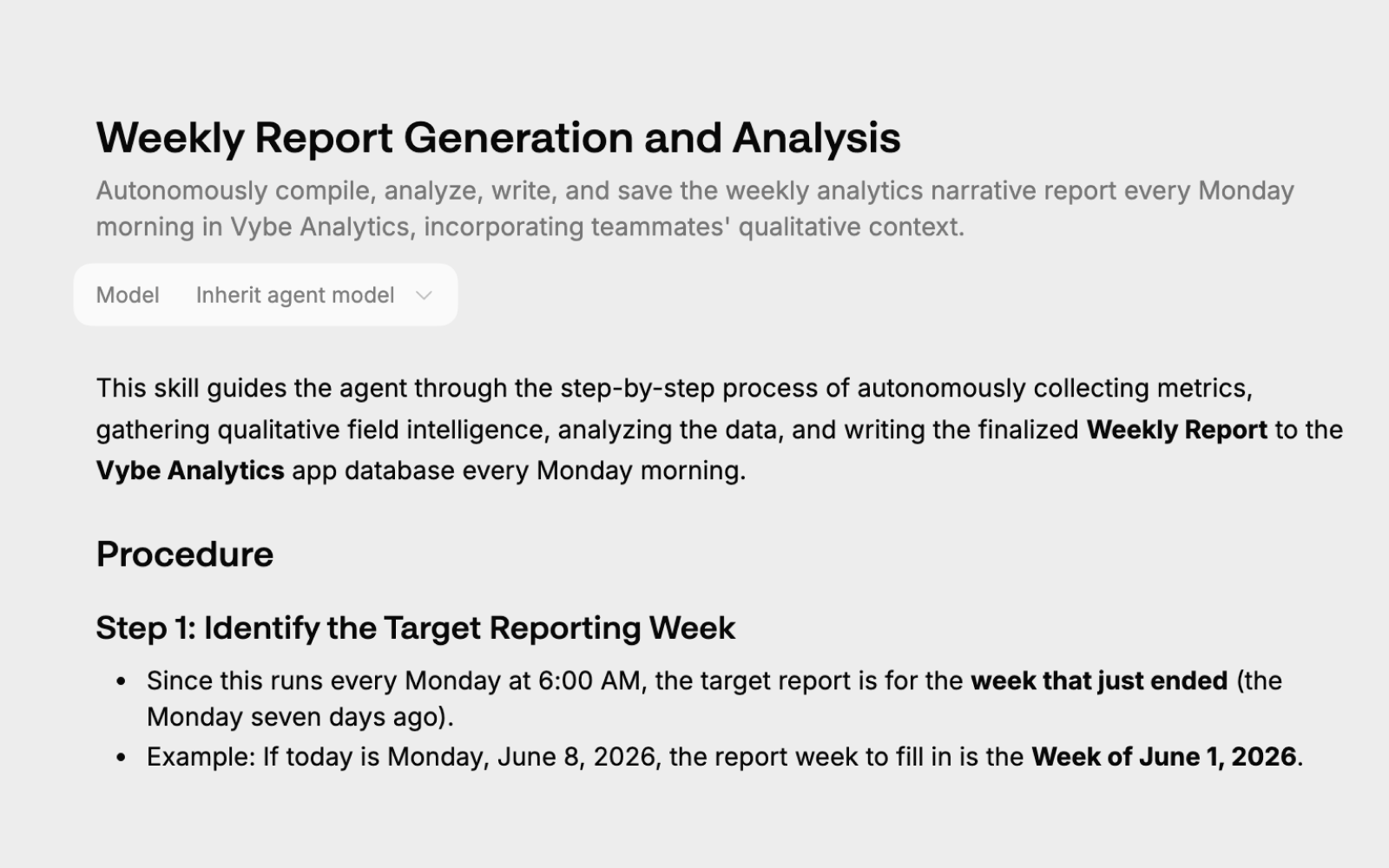
A summary of credit spend and message volume by agent lands in your inbox at the end of each month. Useful if you want cost accountability without checking the dashboard constantly.
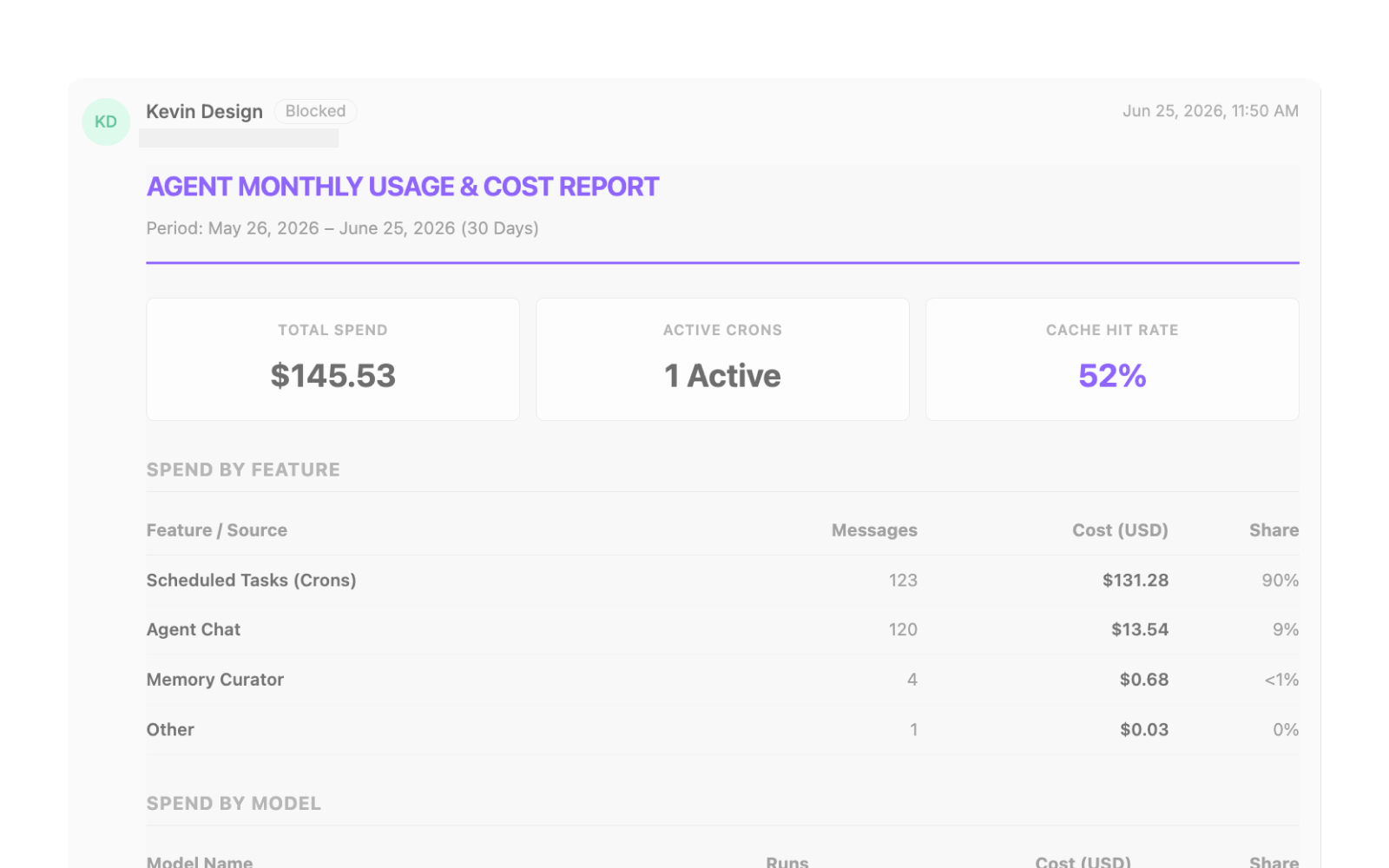
Agents now flag when a scheduled task fires too frequently and suggest cheaper alternatives. Stops crons from burning credits on a 5-minute cadence when hourly would do the same job.
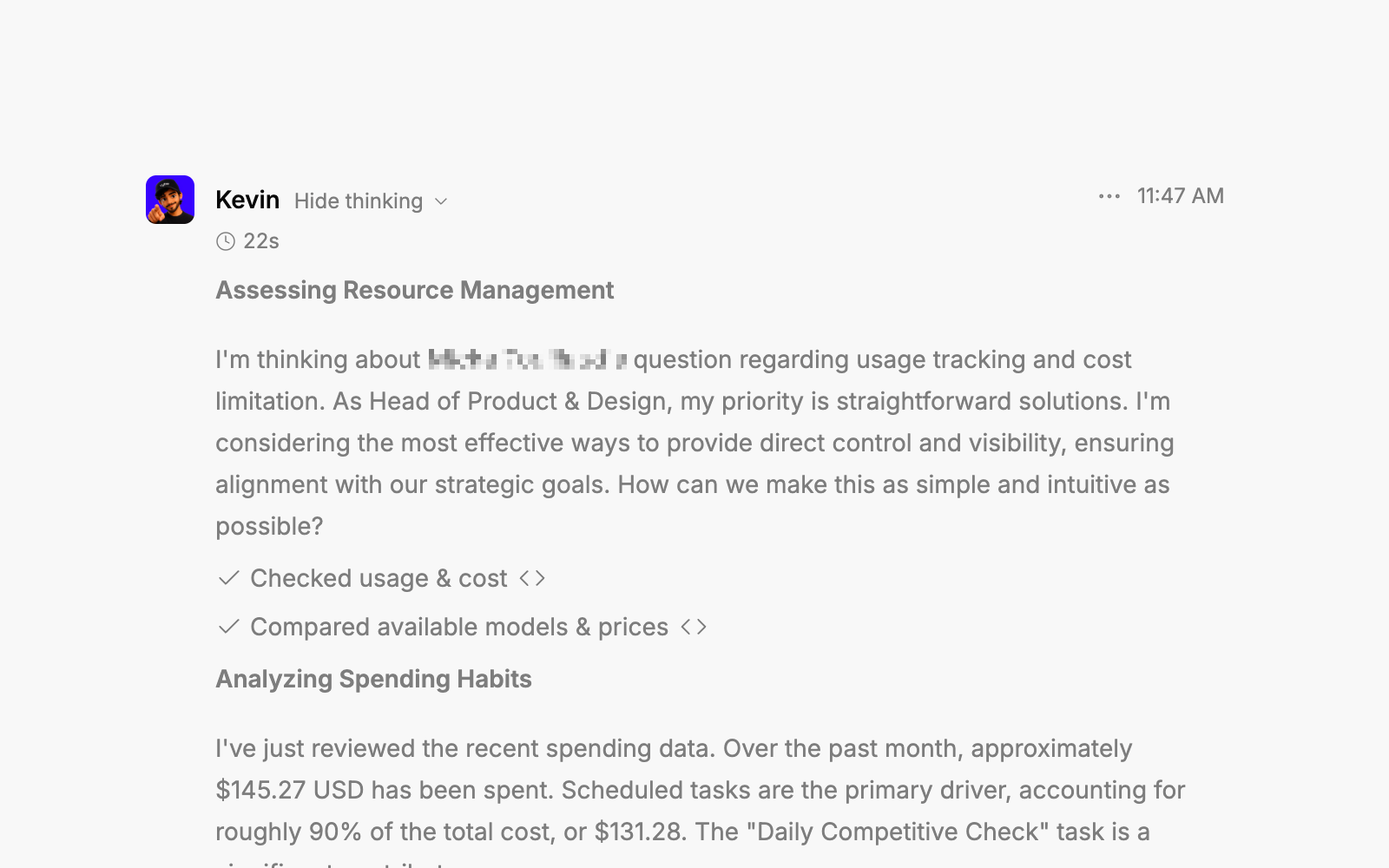
You can now specify which AI model an agent uses when a trigger fires or a cron runs. Faster, cheaper models for routine work; stronger ones for complex tasks, without touching the agent's default.
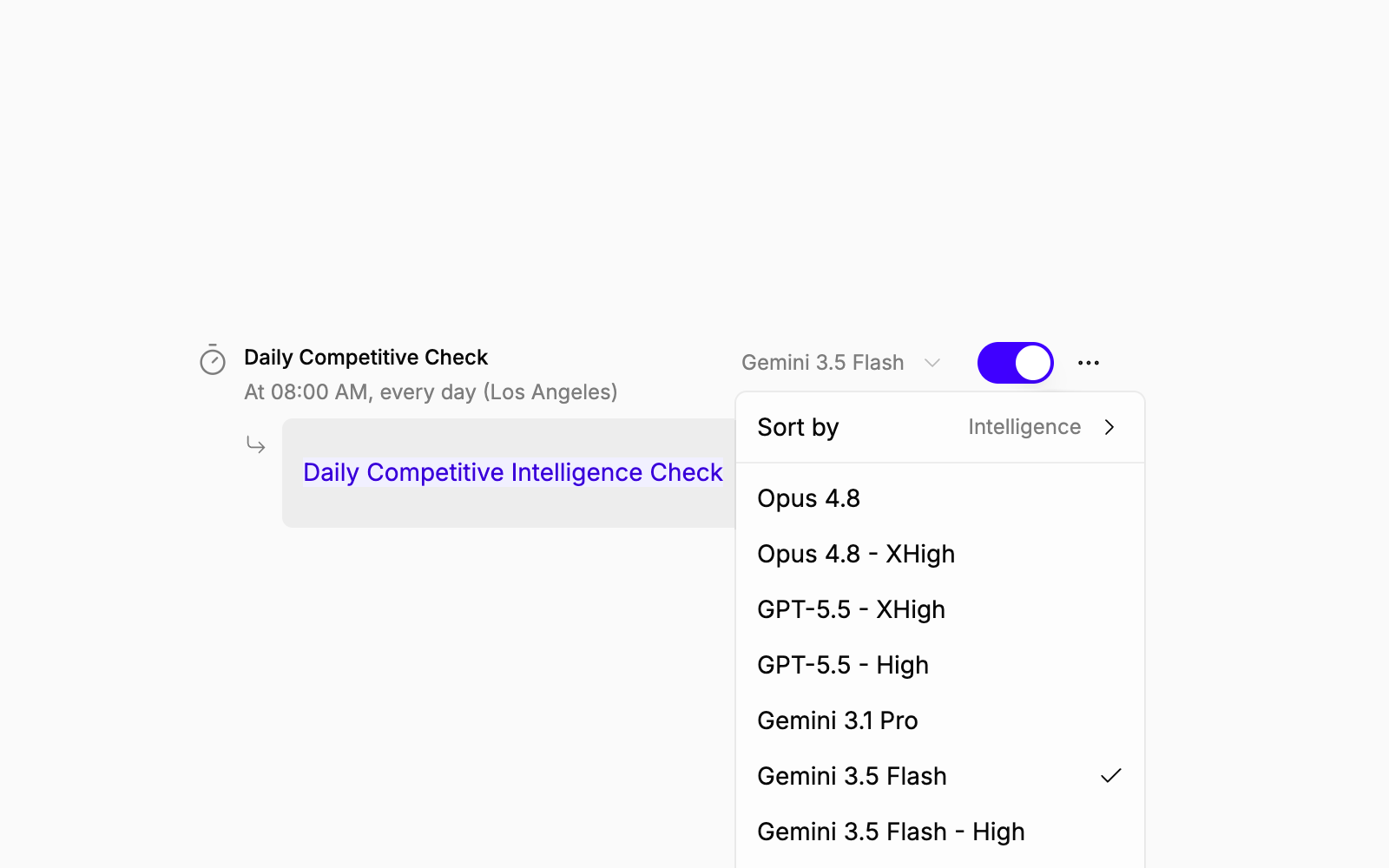
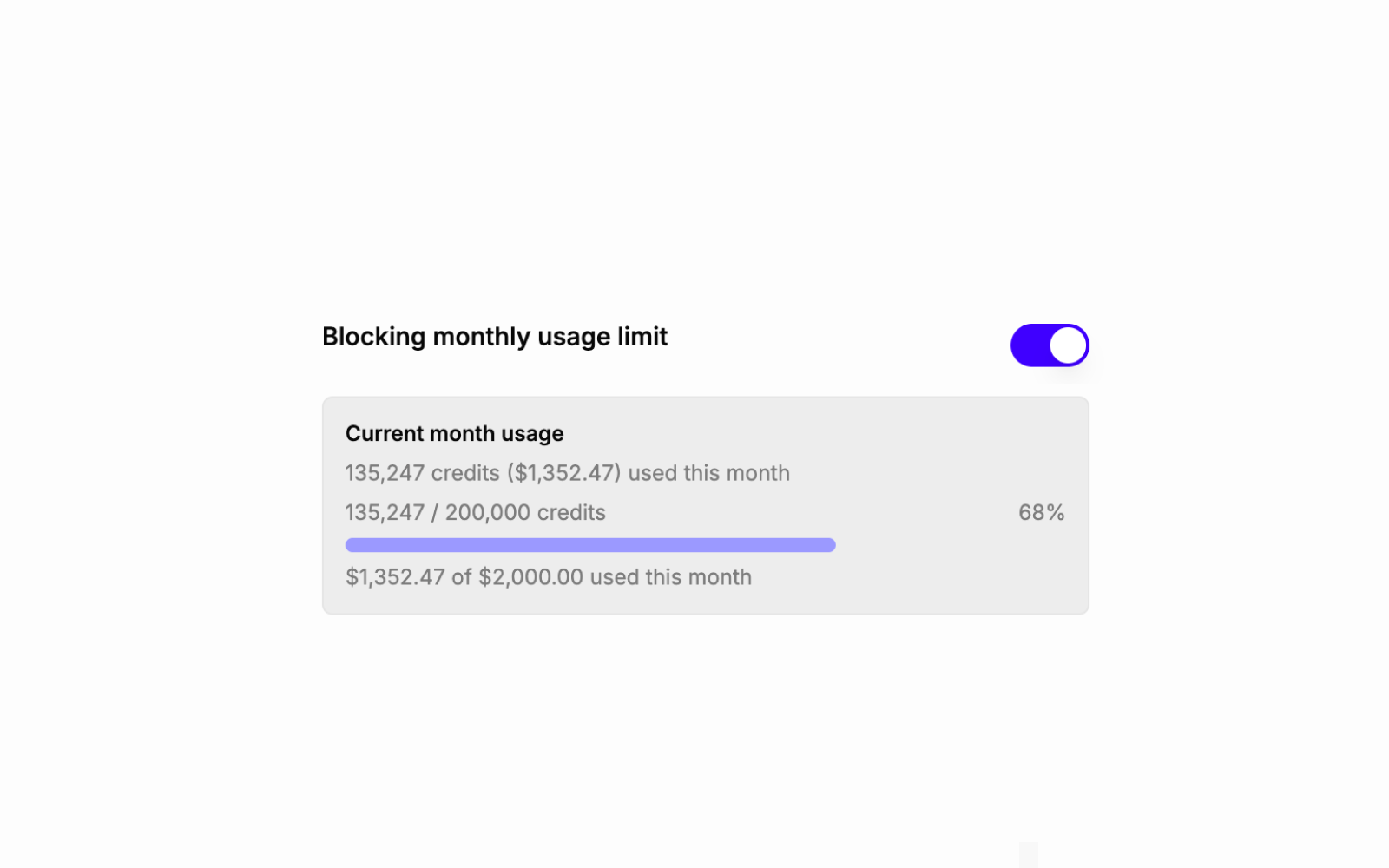
Set credit limits on agents and get notified when they hit the cap. No more surprise bills from a runaway cron.
GLM-5.2 is now available for long-horizon coding tasks. Gemini 3.5 Flash High is a distinct tier above standard Flash when you need more capability without going to a full flagship.
Custom APIs now support multipart/form-data. App-side code can send files directly through configured API connections. Previously JSON-only.
The in-progress reasoning view got a redesign: better sizing, a clearer handoff to the actual response, and a usage indicator so you know what the agent is working on.
Granting an agent access to an integration now auto-proceeds instead of waiting for a manual click. The grant-access card is also cleaner.
Credit figures throughout the UI now show the USD equivalent inline. Removes the mental math.
Cron agents were blocked from calling app API tools due to a missing permission check. Fixed.
/api/calls was returning full multi-megabyte transcript payloads on every request. Now it returns a trimmed response; full transcripts fetch separately when needed.
Ready to try these new features?
June 15, 2026
A big week. You can now see exactly what your crons are doing, pick models with full transparency on cost and capability, and navigate the platform from a redesigned sidebar. Plus: Fable 5, Gemini Flash High, and the ability for agents to own their inbound email and SMS.
Your crons now have memory. Trigger any task on demand, browse every past run with its status and duration, and drill into a specific run to see exactly what the agent did and what tools it called. Per-cron model overrides included.
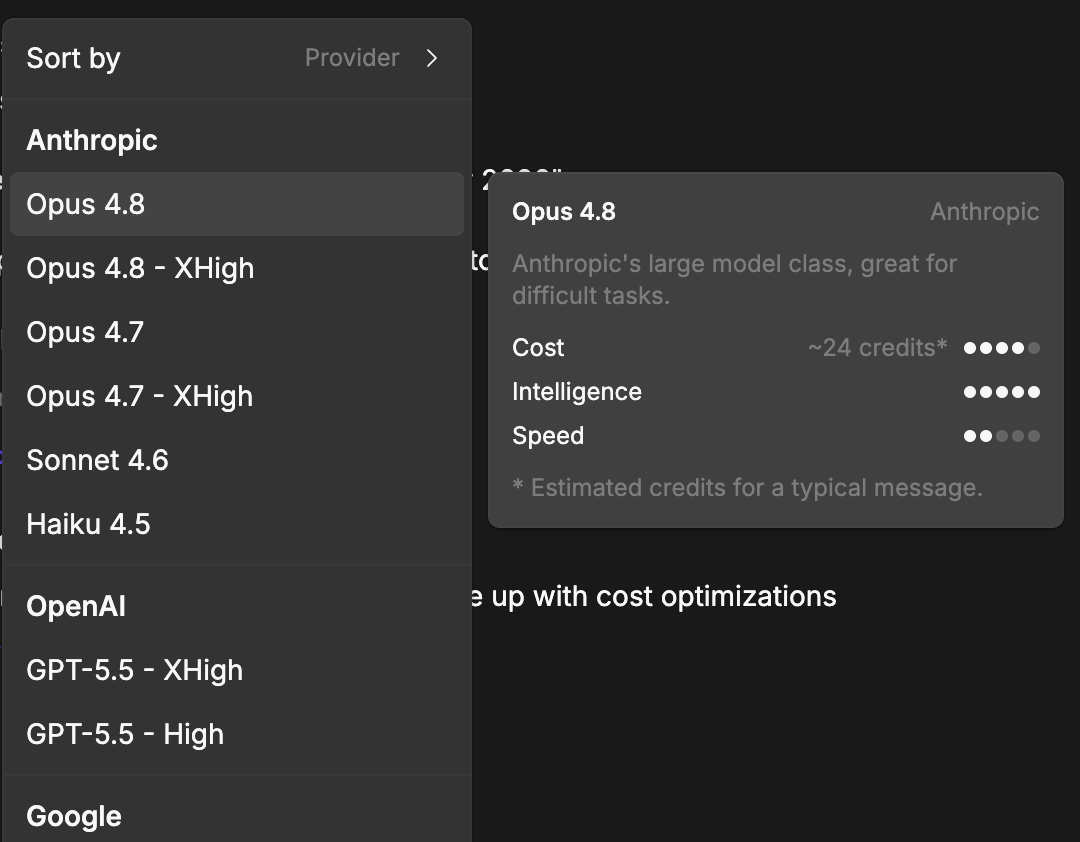
The model selector got a full overhaul: detail cards show intelligence scores, credit costs, and context window sizes. Models are grouped and sorted so you can actually make an informed choice rather than guessing from a name.
When a model is thinking, you can see it. Reasoning steps and Gemini thought summaries now surface directly in the chat, so you know what is driving the response — not just the answer.
Three new models added this week. Claude Fable 5 is now in the standard stack, Fable 5 XHigh is in beta with 128K output token support, and Gemini 3.5 Flash High lands as its own distinct option.
You can configure an agent to handle messages that arrive at its inbox — no cron polling required. Email and SMS inbound handling is now a first-class setup option.
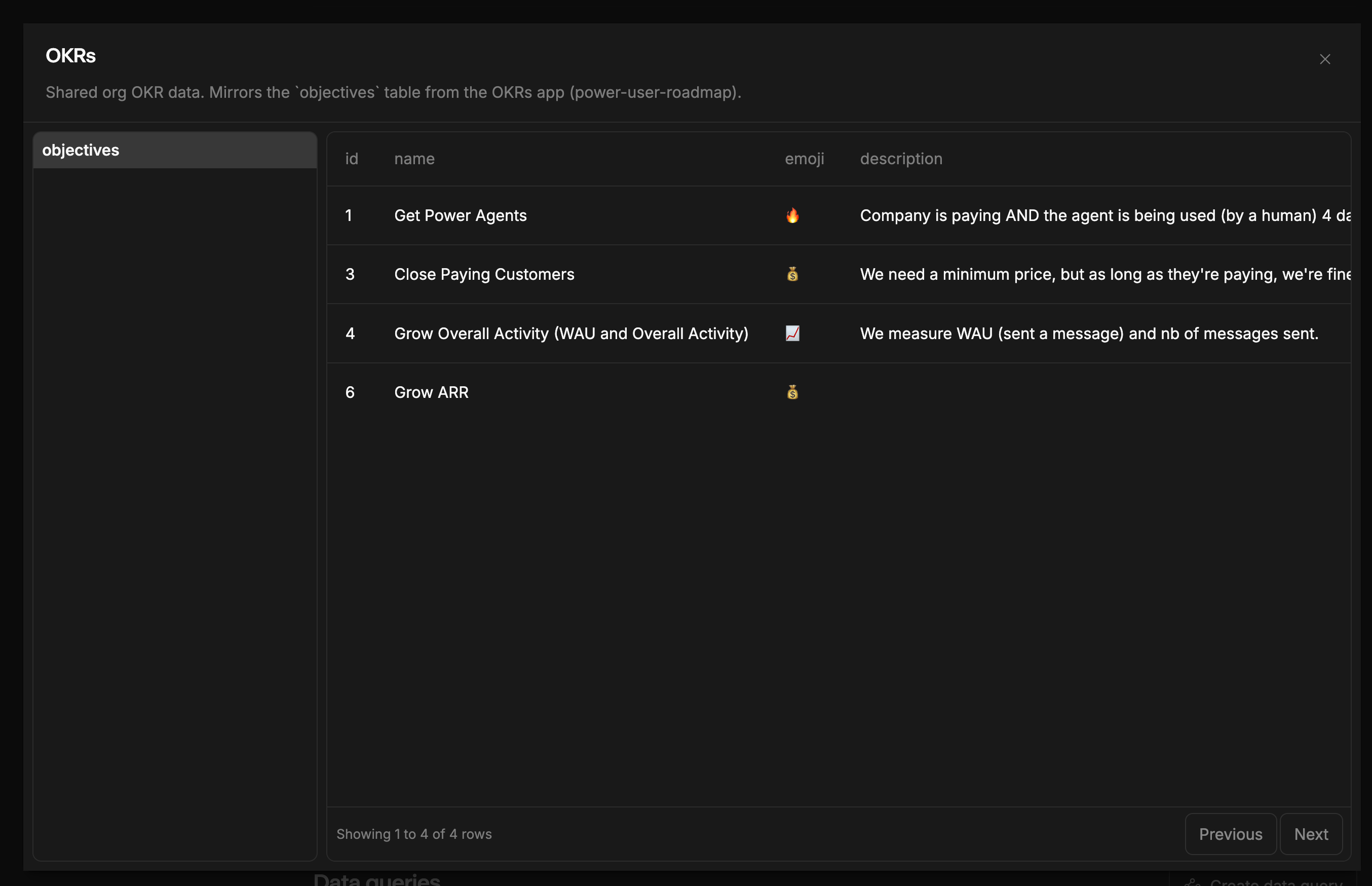
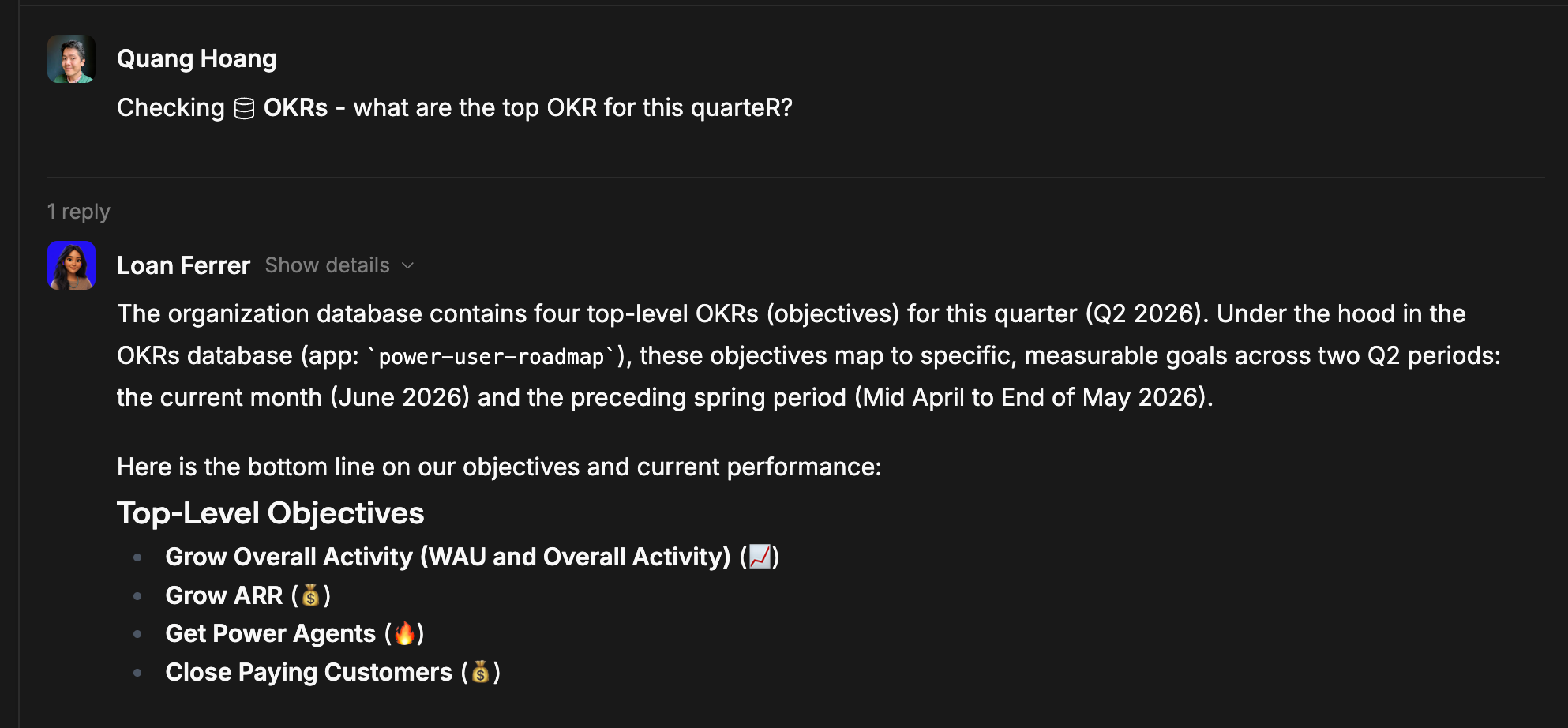
Shared Postgres databases are now available at the org level. Multiple agents and apps can read and write the same data without duplicating state across each of them.
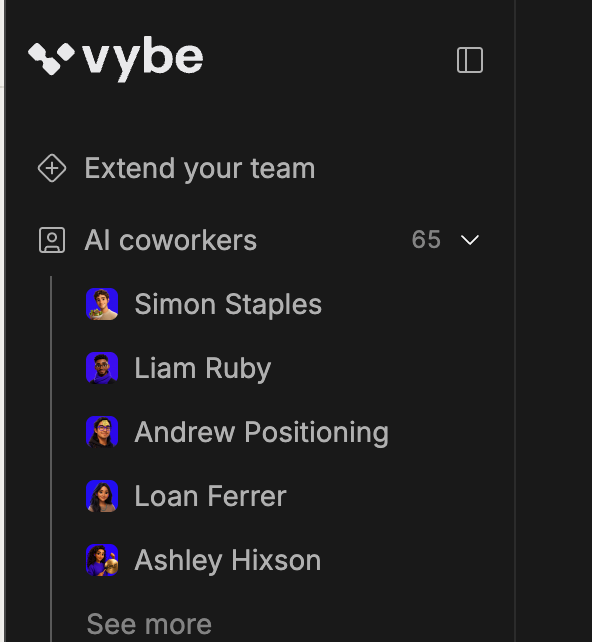
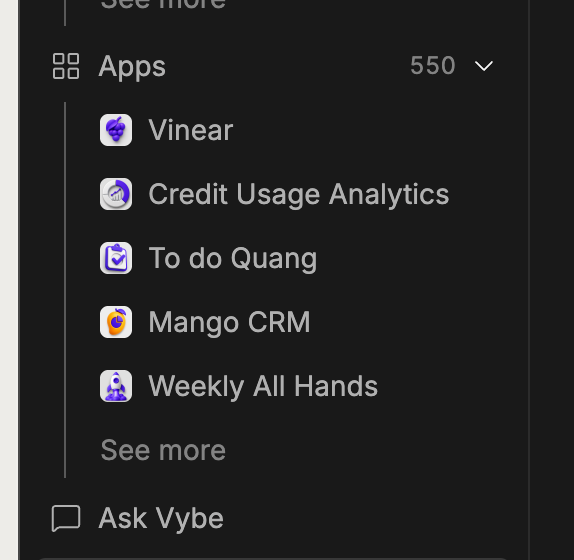
The sidebar has been redesigned with a floating nav, dedicated submenus for AI coworkers and apps, and a refreshed header. Cleaner to scan, faster to get where you are going.
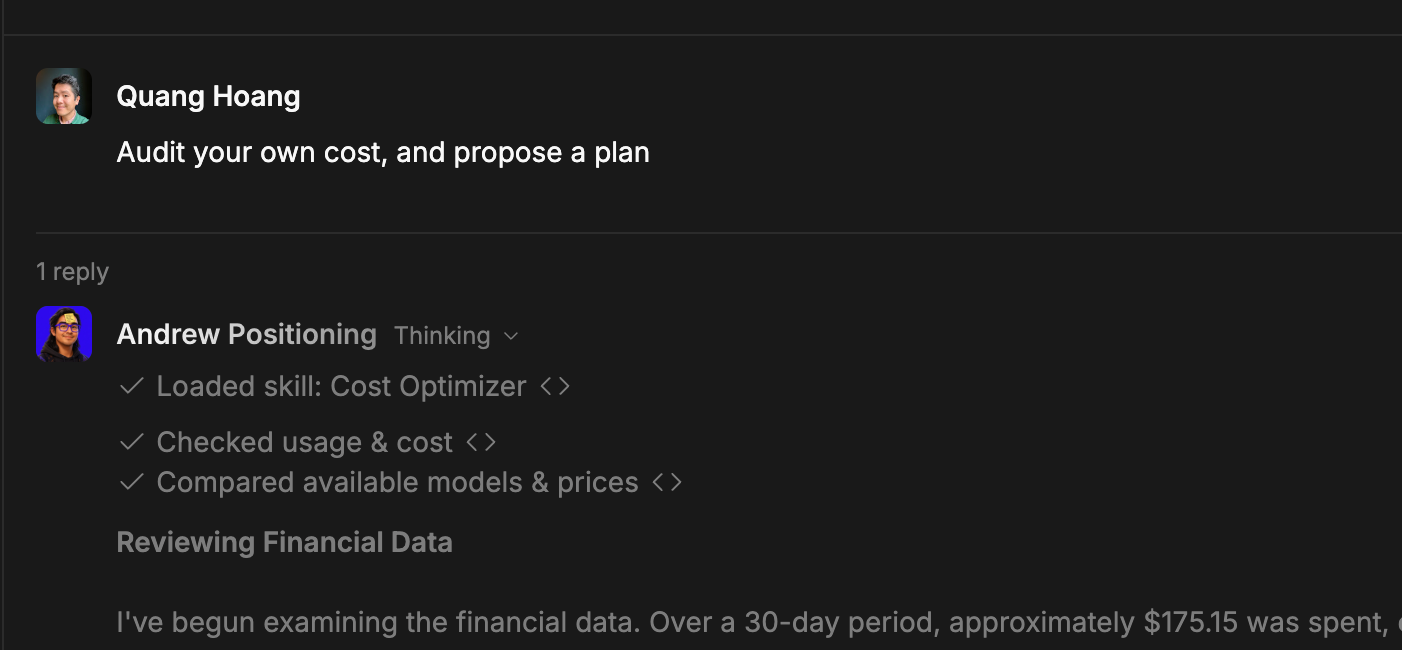
Agents can now audit their own credit spend, identify high-cost activities, and propose specific ways to save you money. When you ask your agent about their cost, they will analyze their own usage data, pinpoint the primary cost drivers (like premium models or high-frequency schedules), and suggest cheaper model alternatives with real capability tradeoffs. They can even automatically apply schedule adjustments or calendar gating (like pausing crons on weekends or outside of your business hours) once you give them the green light.
Dropped connections no longer mean lost responses. The platform now resumes or reconciles persisted messages when a stream cuts out, so an interrupted run picks back up cleanly.
Ready to try these new features?
June 8, 2026
This week adds the start of a real permissions model for agents, gets agents replying to emails by default, and puts cron management where it should have been all along. Plus a lot of UI fixes the team had been stacking up.
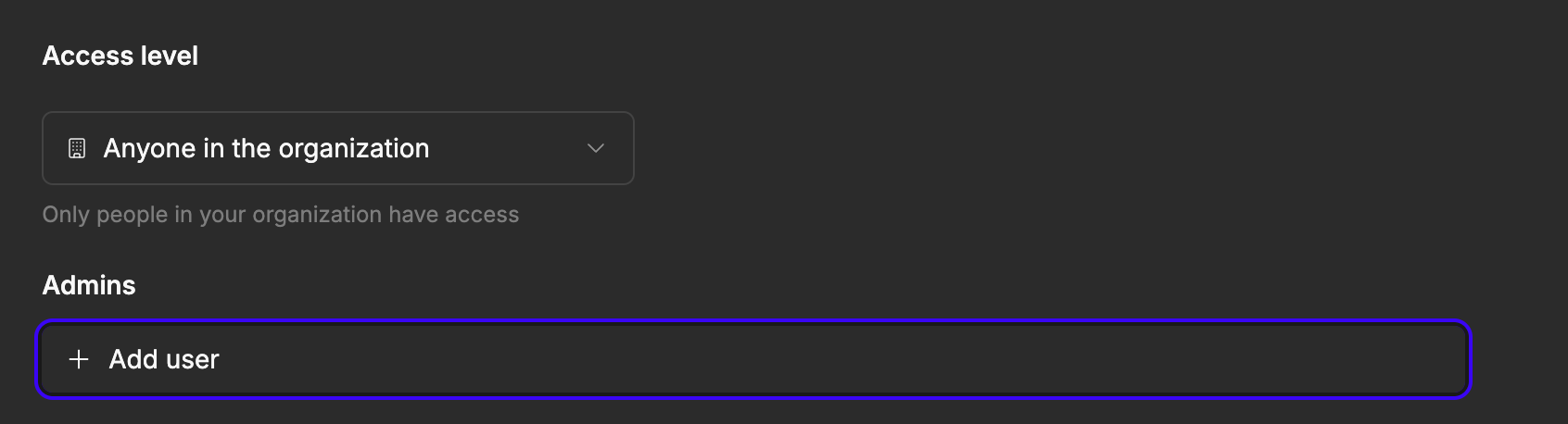
Owners and admins can change member roles directly from org settings.
Admins can now resend or cancel pending invitations.
When an agent gets an email, it replies to the owner automatically. No config needed.
Create, update, and delete crons from the background tools panel. No more needing a separate workflow to manage schedules.
You can rename note titles directly in the memory panel.
Agents can now be assigned admin roles, giving them the ability to act on behalf of org admins. Useful if you have an agent managing other agents.
The askUserQuestion tool is no longer exposed to agents running in Slack channels, where it was creating unnecessary prompts.
Loading states, thread messages, markdown rendering, onboarding menus, usage dashboard, and card layouts all got fixes this week.
SQL errors from runSql and agent databases now show the actual Postgres or Neon error, not a generic fallback.
Ready to try these new features?
June 1, 2026
Agents can now see and control their own event triggers. That's the big one this week. Alongside that: Claude Opus 4.8 is live, credits are easier to add, and a run of fixes cleans up Slack reliability, checkout billing, and email reading.
Agents now know what event triggers they have and can create, enable, disable, and delete them on their own. Tell your agent what events to watch for and it wires itself up.
Added at medium and xhigh intelligence levels. A solid option for agents doing heavy reasoning or complex multi-step tasks.
A new modal with a slider makes adding credits fast. No context switching, no separate flow.
When publishing fails, the error comes back into the chat. The agent can diagnose and retry without you digging through logs.
The Slack panel setup content is cleaner. First-time connection feels like onboarding instead of reading documentation.
Connecting a custom sending domain has fewer requirements now. Less friction when setting up agent email.
The agent integration settings dialog is reorganized and easier to scan when managing multiple integrations.
Two issues patched: agents now favor DMs correctly when a channel message is denied, and Slack actions only mark as sent after the tool call actually succeeds.
Credit allocation and trial day defaults were wrong on certain paid plans. Both are fixed.
Creating notes from inside an agent session was failing in some cases. Works cleanly now.
Ready to try these new features?
May 25, 2026
The usage dashboard is live. Gemini 2.5 Flash is available as a model. Slack connection flows work better. And a few bugs that were quietly breaking things got fixed.
You can now see what your agent has been doing. The dashboard defaults to the last 7 days and breaks down activity by tool calls and conversations.

Gemini 2.5 Flash is now available as a model option. It is faster and cheaper than most alternatives, which makes it a good fit for agents running high-volume or repetitive tasks.

Agents can now trigger the external database connection flow directly from their tool panel. You no longer have to navigate away to set one up.

Two agents can no longer share the same inbox address. The system enforces uniqueness at setup, so you catch the conflict before it causes problems.
Tool categories in the capabilities panel are labeled now. Easier to find what you are looking for without having to open each section.
After connecting Slack, agents now open the relevant subthread automatically. There is also a new tool that lets agents surface the Slack install button directly in conversation.
Creating a cron job that already exists used to fail silently. Now you get an explicit message so you know what happened.
Fixed a visual glitch where the note link popover would flash when switching tabs. Small fix, but noticeable.
Ready to try these new features?
May 19, 2026
A focused week on first impressions and visibility. Apps now get AI-generated icons on creation, the home launcher got rebuilt from scratch, and a usage dashboard makes it clear where your credits are going. Plus domain-level signup blocking and deploy tools for agents.
Apps get a custom icon when created. You can also regenerate it anytime from the agent.

The setup panel is gone. Replaced with a Spotlight-style home launcher — faster to navigate, less in the way.

You can now see where your credits are going, broken down by agent and run.
Two new tools let agents kick off app deployments and check their status without leaving the conversation.
Agents can handle any file type attached in a conversation, not just a handful of supported formats.
Settings sidebar now has sub-items so you spend less time hunting for the right page.
More reliable enforcement of which senders can trigger your agent by email.
Cleaner layout, tighter grid, and the creator and last-edited metadata is gone.
New agents get an avatar that matches the gender of their name. Small thing, but it matters.
Active meetings now show a pulse in the agent interface so you know a call is being recorded.
Ready to try these new features?
May 10, 2026
A dense week of UI and infrastructure work. The Mac dock got a full redesign, brand themes landed, the avatar gallery expanded, and the foundation for per-agent databases shipped. Plus BCC support, wiki-style note links, and WhatsApp access controls.
Every agent now gets its own dedicated Postgres database. Persistent, isolated, and queryable directly from agent code via the queryAgentDatabase tool.
The agent dock got a full redesign — cleaner layout, better hierarchy, and faster to navigate between agents.
Agents can now reflect custom brand colors and visual identity throughout their interface.
More avatar options on agent creation, with better gender and style coverage.
Notes now support [[slug|Display Text]] links to other notes and skills, building a connected knowledge graph across your agent.
Agents can now BCC recipients when sending emails.
Tighter controls over which contacts can trigger an agent via WhatsApp.
Each scheduled task can now run on a different model. Useful for cost and quality tradeoffs across jobs.
Ready to try these new features?
May 5, 2026
A focused week on trust and reliability. Agents now have inbound/outbound email contact controls, the agent gallery got a full redesign, and sandbox execution saw significant stability improvements.
Agents now have inbound gate and outbound tool enforcement — control exactly who agents can email and who can reach them.
Manage which apps are linked to an agent directly from the Access page, with access-level gating and visibility controls.
Added a proxy execution layer for custom APIs with CLI, agent tools, and app helper support.
Agents now receive the currently viewed app on every message, and can redirect the user preview panel with the new showApp tool.
Agents can now prompt users with an in-product satisfaction survey to collect structured feedback.
When web search providers fail, agents now receive structured fallback guidance instead of a dead end.
Slack responder is now blocked when agent access is disabled. Mention-only response mode is available.
Integration and custom API secrets are now invalidated immediately on soft-delete.
Ready to try these new features?
April 28, 2026
A feature-dense week. The MCP server catalog launched, GPT-5.5 is now available, notes gained full version history with restore, and scheduled task guardrails were introduced to keep crons accountable.
Browse and connect MCP servers from a built-in catalog, now consolidated into the integrations page.
GPT-5.5 is now in the model picker. Older GPT models have been hidden to reduce clutter.
Notes and skills now store up to 50 versions. Roll back to any previous version from the history panel.
Cron jobs now have a contract + self-report + verifier system to ensure they complete expected side effects. Failures surface in the UI.
Cron descriptions can reference skill slugs — skill content expands at runtime so updates flow through automatically.
Slack read tools now return the channel name or DM partner handle alongside messages.
Pressing Escape in nested modals now closes only the innermost one.
Fixed a bug where prices checkout subscriptions were incorrectly auto-canceled.
Ready to try these new features?
April 21, 2026
A landmark week for the platform. Agents can now send platform feedback, MCP OAuth is live, the gallery got a fresh redesign, and a new pricing page launched. Sandbox stability saw major improvements across the board.
Fresh gallery look with a personalize modal and improved sidebar navigation for discovering and launching agents.
A new dedicated pricing page is now live with clean query-parameter routing for deep-linking.
MCP servers now support OAuth-based authentication, with a connect confirmation dialog shown after creation.
Claude Opus 4.7 is now available and set as the new default where Opus 4.6 was previously used.
Agents now have a platform feedback tool to flag bugs, capability gaps, and tool quirks directly to Vybe engineers.
MCP servers are now subject to the same access control and permission checks as other integrations.
App sandboxes inactive for 29 days are automatically expired to free up resources.
Multiple fixes to sandbox process timeouts, error handling, and H2 client timeouts for more reliable code execution.
Ready to try these new features?
April 12, 2026
Notes now support full folder organization. You can lock notes to prevent accidental edits. Agent templates are live. The cron limit jumped from 10 to 50. We also added a stop button for streaming and moved scheduled tasks to their own sidebar page.
Notes now support full folder hierarchy. Create subfolders, move notes between folders, and keep agent memory organized at scale.
Notes can now be locked to prevent accidental edits. Skills are always locked by default.
You can now create agents from templates. Speeds up setup for common agent types.
The scheduled task limit jumped from 10 to 50 per agent. If you were hitting the ceiling, you are not anymore.
You can now stop an agent mid-stream. No more waiting for a runaway response to finish.
Ready to try these new features?
April 5, 2026
The agent sandbox is fully operational with lifecycle management and the executeCommand tool. WhatsApp is live via Kapso. SMS auto-reply works. Agents can now contact other agents directly. Platform skills shipped too.
The agent sandbox now has full lifecycle management. The executeCommand tool is live, giving agents the ability to run shell commands in an isolated environment.
Agents can now auto-reply to inbound SMS messages.
Agents can now contact other org-level agents directly using the contactAgent tool.
Platform-level skills are live. These are org-shared instruction sets that persist across agent versions.
WhatsApp is now available as an agent channel via Kapso API. Agents can send and receive WhatsApp messages.
Ready to try these new features?
March 29, 2026
Each agent now supports its own custom instructions. Slack contact restrictions let you control which agents can DM users. Pipedream action validation is live: inputs are checked against configurableProps at runtime before any call goes out.
Each agent now has its own custom instructions field. Useful for giving specific agents context or constraints that should always be in scope.
Admins can now restrict which agents are allowed to DM users in Slack. Prevents unwanted outbound contact from automation agents.
Notes now have a graph view that shows connections between notes visually.
Action inputs are now validated against configurableProps at runtime before any external call is made. Catches bad inputs early.
You can now favorite agents. Favorited agents show as cards, same visual treatment as apps.
Ready to try these new features?
March 22, 2026
Agents now have granular per-integration account permissions. Email auto-reply is live via webhook. We shipped a dedicated communications page that puts email, calendar, meetings, Slack, and phone in one place.
You can now grant agents access to specific integration accounts rather than all-or-nothing. Useful when one org has multiple Slack or HubSpot connections.
Agents can now listen for inbound emails via webhook and auto-reply. Set it up once, it runs on every new email.
Agents can now participate in Slack group DMs, not just 1:1 conversations.
You can now upload a transcript manually to attach to a meeting record.
Email, calendar, meetings, Slack, and phone are now consolidated into a single agent communications page.
Ready to try these new features?
March 15, 2026
Skills are live. Agents can store reusable instruction sets and load them on demand. We also shipped meeting search, a context window usage indicator, and a dedicated memory page. Access controls got a full phase-3 upgrade with granular per-integration permissions.
Agents can now create, store, and load reusable instruction sets called skills. The skill is loaded fresh each time, so updates propagate automatically.
Agents can now search past meeting transcripts by title, speaker, or content.
A usage indicator now appears in chat so you can see how much context the agent is consuming per message.
Agent notes now live on their own page with direct URL navigation. Easier to find, edit, and share.
Scheduled task descriptions render markdown, including inline note links.
Ready to try these new features?
March 8, 2026
Granola is now a built-in integration. We added a dedicated code explorer sub-agent for read-only codebase research. Under the hood, the agent runtime got unified: chat, heartbeat, and SMS all run through the same core now.
A dedicated read-only codebase research agent. Agents can delegate investigation tasks without risking accidental writes.
Agents can now summarize threads and branches. Useful for long-running conversations where context needs to be compressed.
Chat, heartbeat, and SMS all run through the same core execution engine now. Behavior is more consistent and easier to test.
You can now give integration accounts human-readable names instead of relying on default labels.
Granola is now available as a native integration. Meeting notes flow directly into agent context.
Ready to try these new features?
March 1, 2026
We ripped out Nango entirely and rebuilt integrations on our own stack. Agents can now receive images in chat. Context management got a serious upgrade: compaction, reset on new messages, and a heartbeat step limit that jumped from 10 to 30.
Agents can now receive images sent in chat. Works in both Vercel Blob storage and the agent thread UI.
We cut the Nango dependency entirely. Integrations now run on our own stack, which means fewer moving parts and no more Nango-related auth issues.
Context compaction is live, along with proper reset behavior on new top-level messages. Heartbeat step limit also raised from 10 to 30.
The preview navbar now has a fullscreen toggle. Small UX thing, but agents that build apps needed it.
Agents in Slack now stay assertive. The previous behavior where they could loop into clarification questions is gone.
Ready to try these new features?
February 18, 2026
We're excited to share what's new in this week's update. Here are the highlights:
Ready to try these new features?
February 10, 2026
This update adds expanded AI model support, including GPT Codex, along with improved SSO controls. Organizations can define trusted SSO domains and set custom AI instructions that apply across teams. Google Drive integrations now support listing and sharing files directly within workflows.
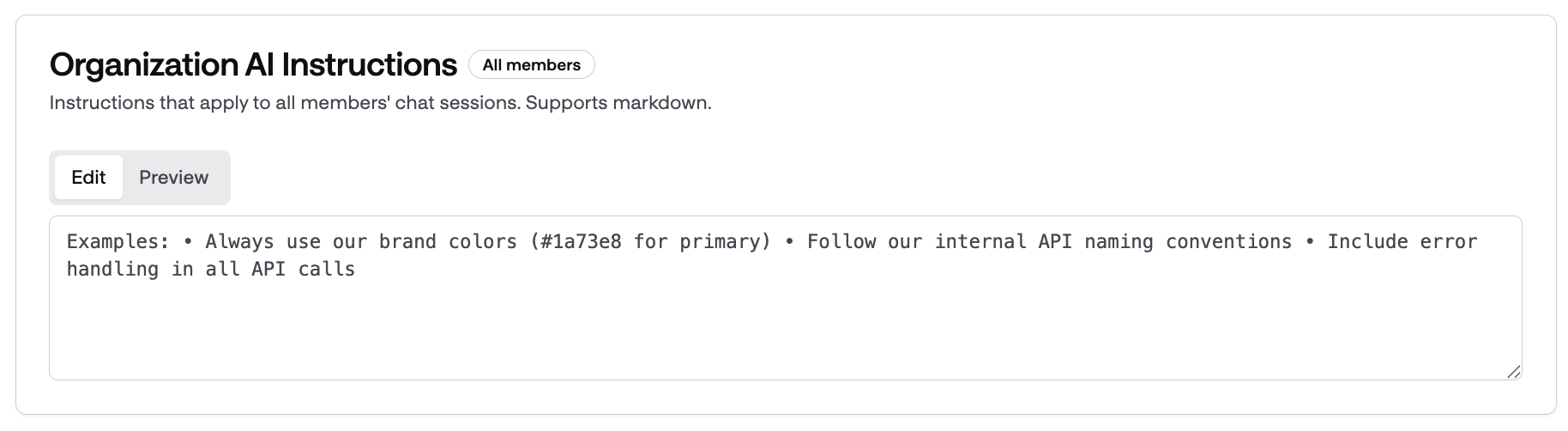
Organizations can now set custom AI instructions that apply to all users within the organization. This feature allows teams to tailor AI behavior to better fit their unique workflows and communication styles.
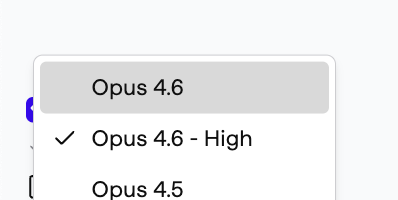
We introduced the new frontier model Opus 4.6. What’s new with Opus 4.6: - Stronger in large codebases apps: stays coherent where previous models could get overwhelmed (1m token) - Adjustable reasoning effort including very long - Better management of compaction of context when it goes above 1m - Better planning for long-horizon work
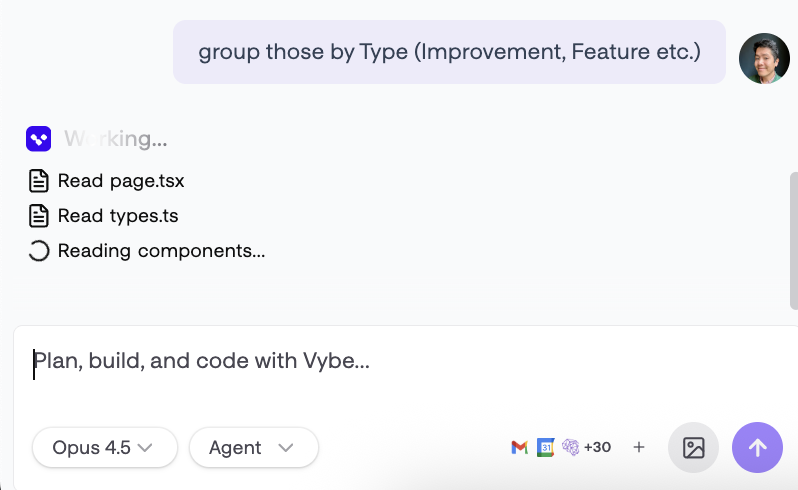
We've modernized the interface with a streamlined sidebar, improved transitions, and updated icons for a cleaner, more intuitive experience.
You can now configure trusted SSO domains, making it easier and more secure for users to sign in through approved identity providers.
SSO enforcement has been added, requiring all users to sign in using Single Sign-On.
Made additional enhancements to the workflow interface for smoother navigation and usability.
When adding a custom API, Vybe now automatically validates your OpenAPI specification. This helps catch errors early and ensures your API integrations work reliably.
Resolved a problem that prevented invitations from being created correctly. Users can now send and receive invitations without errors.
Enhanced the updatefile tool to provide clearer and more actionable feedback during file updates.



Ready to try these new features?
January 28, 2026
We now support SAML and OIDC authentication support. And as usual, we shipped tons of new functions on HubSpot (retrieve multiple deals with our new batch action) or GraphQL queries on Monday.com as well as new Mixpanel actions.
Chat messages now feature a cleaner, more compact collapsed view and an animated icon that shows real-time streaming progress.
You can now log in using SAML or OIDC identity providers, making it easier to connect with your organization’s SSO solutions. This will enhance security and streamlines access for enterprise users.
The Integrations page now features a new Table View for each section, making it easier to view and manage your integrations.
You can now softly delete apps instead of permanently removing them. This feature helps prevent accidental loss by allowing recovery of deleted apps.
Users now receive clear error messages if sending an invitation fails.
The editor and chat interface have been updated with improved background colors, cleaner gradients, and subtle borders for a more polished look.
We've moved our sandboxes and Neon projects to be geographically closer to the core vybe application. Expect faster performance on deployed apps.
The sandbox preview iframe now allows clipboard writing, resolving errors when user apps try to use the Clipboard API.
Enhanced the look and feel of the Editor Tab Bar by refining its hover and selected states for better visual feedback.
Messages from the AI now fully support Markdown formatting.
Resolved a bug that prevented viewers from accessing deployed applications.
Updated the look and feel of feature suggestions.




Ready to try these new features?
January 23, 2026
Our agent now asks for clarification, using interactive options to ensure you get more precise and helpful responses. We also added 30 new custom actions for Notion, HubSpot, Slack, and Google. You can now create Notion pages, update HubSpot meetings, and send emails via Gmail.
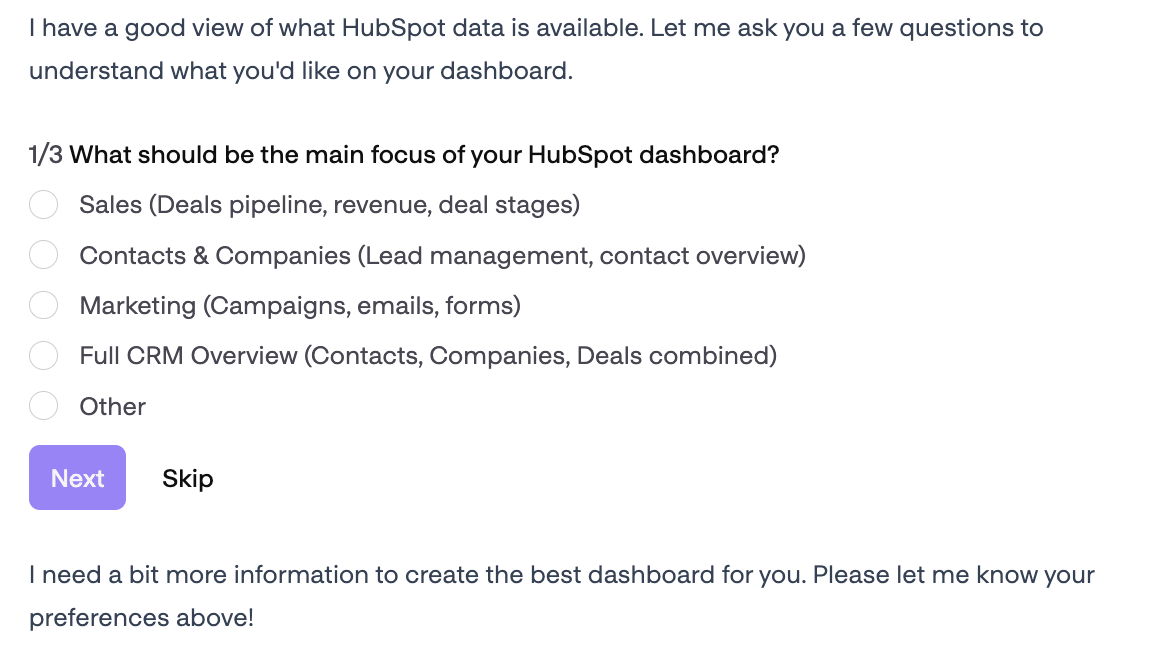
Introduced a new feature (currently behind a feature flag) that allows the agent to ask users clarification questions using select and multi-select options, improving interaction flow and ensuring more precise responses.
We’ve improved the OpenAPI integration by refining tool names and upgrading the OpenAPI directive for clearer, more intuitive use. Additionally, a new tool has been added to automatically generate an OpenAPI client for your custom APIs.
The Data panel now features a new Integrations tab along with simplified horizontal tab navigation. This makes it easier to view and manage all your connected services and databases in one place.
Chats now load more quickly by displaying recent messages first and loading older messages as you scroll. This improves performance, especially in conversations with many messages, so you can start chatting sooner.
The chat tool now includes an AI-assisted type checking feature, offering quick type verification without needing a full build. While it's currently slower for larger apps, this update helps catch type errors earlier to streamline development.
Tool outputs that return JSON are now shown in a clearer, easier-to-read format thanks to a new reusable UI component. This update also fixes imports in the Gmail Inbox component for better reliability.
We've improved the quality of AI-generated suggestions to provide more accurate and helpful guidance. This update helps you work more efficiently and make better decisions within the app.






Ready to try these new features?
January 15, 2026
We're excited to introduce a bunch of updates making Vybe Integrations even more functional and user-friendly. From supporting multiple Lemlist endpoints to new Google Gemini image generation, we've enhanced workflow automation and data management across various platforms to help you work smarter and more efficiently.
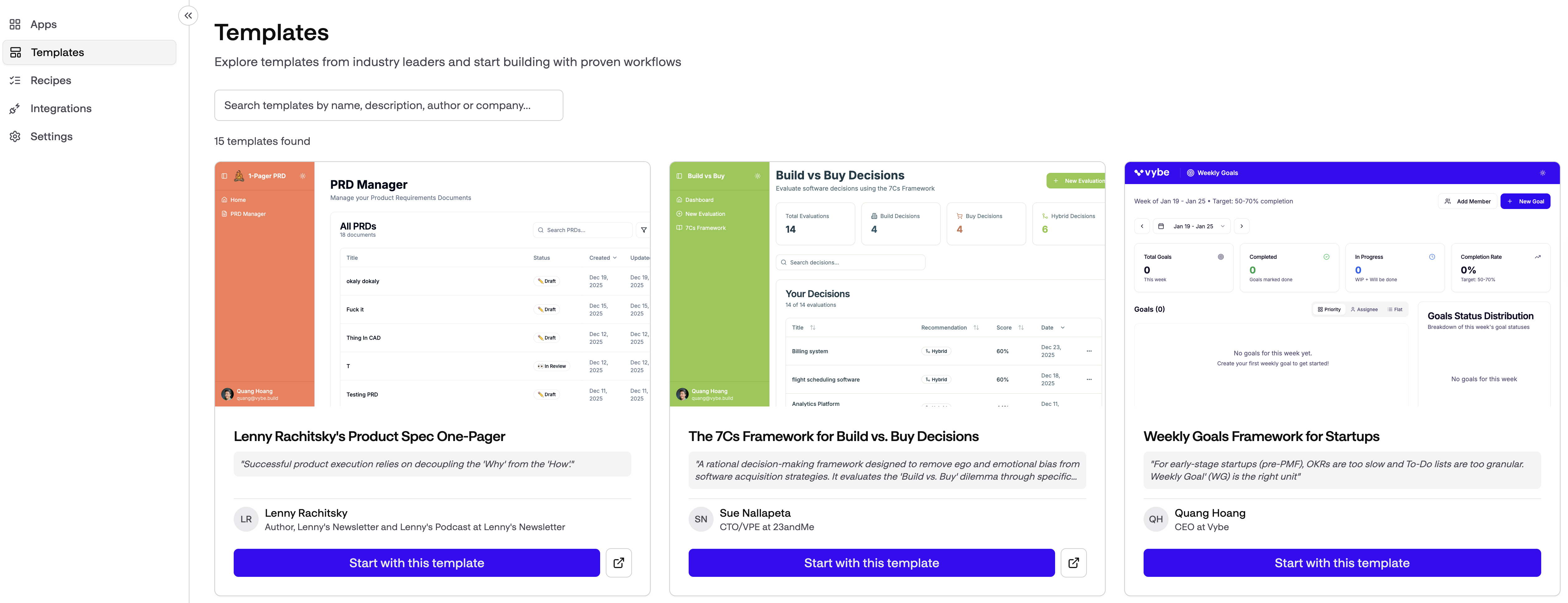
You can now explore a new Templates page in the app, making it easier to browse and use ready-made templates.
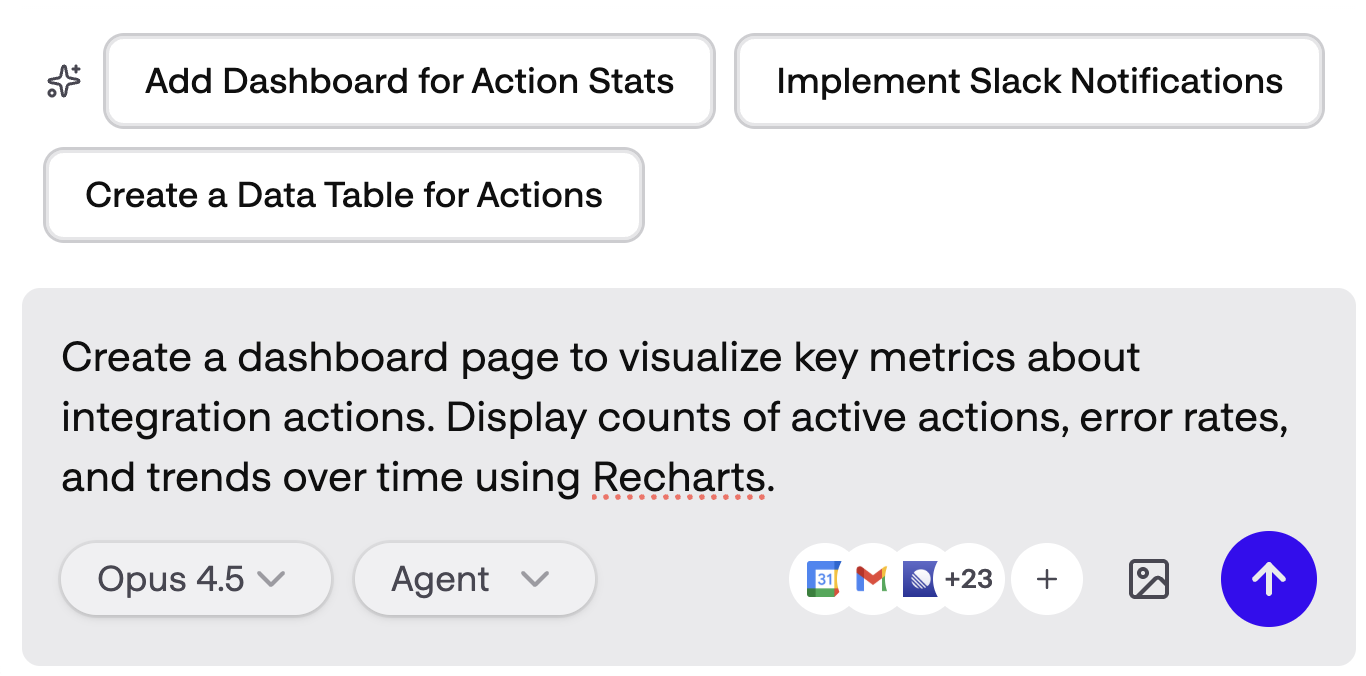
Added persistent AI suggestions that are saved with your project, allowing you to access and revisit suggestions even after reloading or returning to your app for consistent guidance throughout your workflow.
You can now use a 'Test Run' button on workflow functions to quickly perform ad hoc test runs. This makes it easier to validate your workflow setup before deploying changes.
Added an integration icon bar to the chat input, making it easy to @mention connected apps, and improved the mentions dropdown with a "Connect more apps" option to simplify integration management.
The appearance of build error messages has been simplified for a less intrusive experience during builds. This change helps you stay focused in chat without overwhelming error alerts.










Ready to try these new features?

Become an AI native company
AI coworkers and custom apps that run your operations
Vybe, Inc. © 2026